Spool Inspector
Place a spool on the scale. The Inspector scans the QR code, weighs the spool, and syncs everything to your account in seconds. Remaining filament, project costs, even storage location — all without touching your phone.
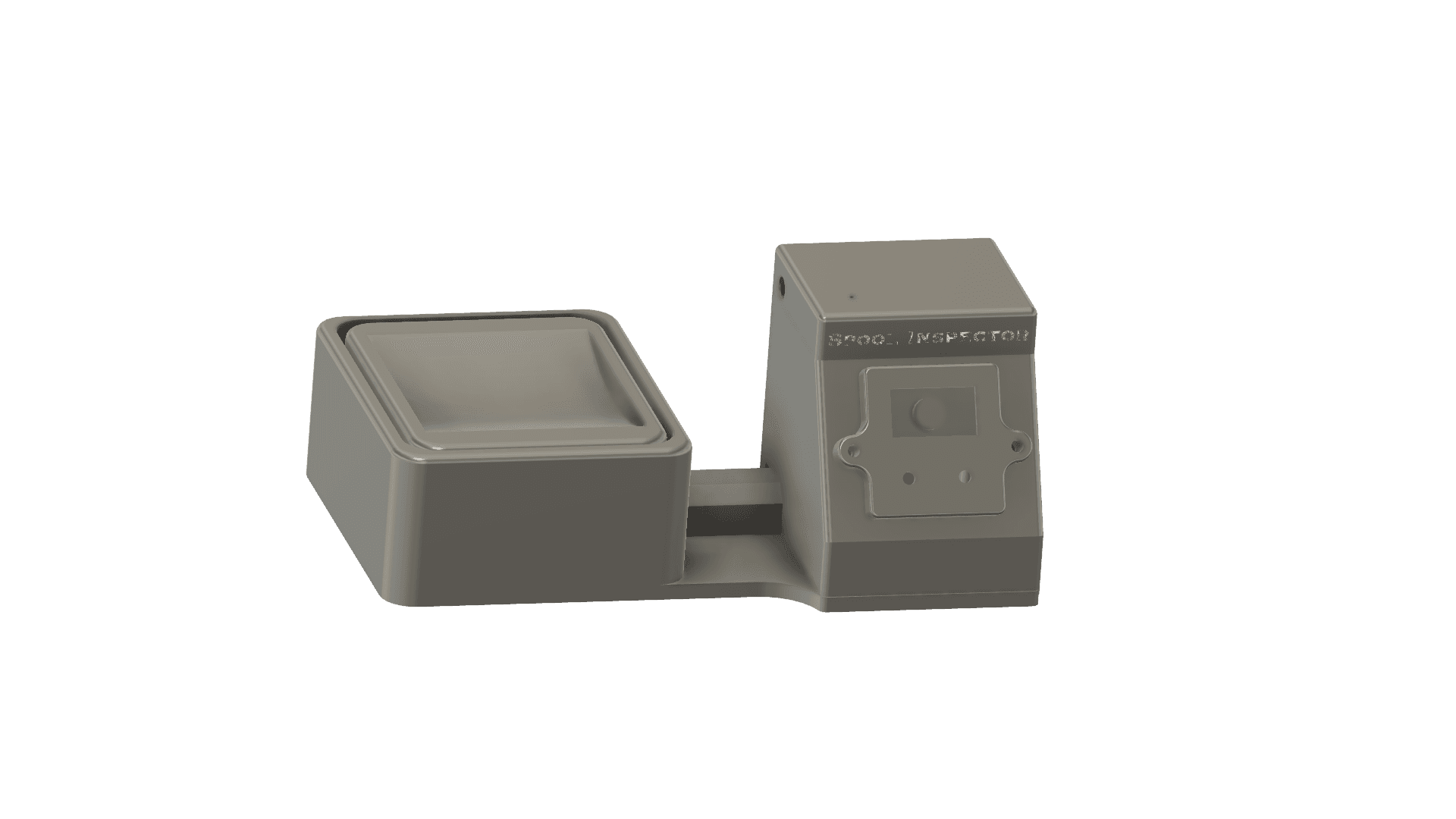
Hardware
How it works
Place spool on the scale
The scale detects weight over 50g and begins stabilizing.
Camera scans QR code
The autofocus camera locks onto your QR label and reads the spool ID.
Data syncs instantly
Weight, remaining filament, and project costs update in your account automatically.
Set location (optional)
A prompt asks if you want to update the spool's storage location. Pick from your list or skip.
Remove spool
Take the spool off. The station resets and is ready for the next one.
Features
Automatic QR Scanning
Place a spool on the scale and the autofocus camera reads its QR code automatically — no manual entry needed.
Precision Weighing
A load cell weighs down to the gram. The system subtracts the spool tare weight to calculate remaining filament.
Instant Sync
Weight readings sync to your account in real time. Remaining filament, project usage, and material costs all update automatically.
Set Spool Location
Update a spool's storage location right from the device. Moving a spool to the printer? Scan it and set the location — no need to open the app.
Near-Empty Detection
When a spool has less than 10g remaining, the device prompts you to mark it as empty. Never start a print with an empty spool again.
Three Modes
Cycle between Weigh (update inventory), New Spool (calibrate tare weight), and Set Location (move spools between locations) with a single button press.
Offline Queue
No WiFi? No problem. Weighings are saved to flash memory and sync automatically when connectivity returns. No data is ever lost.
OLED Display
A built-in display shows weight, current mode, scan progress, WiFi status, and prompts — no phone or computer needed to operate.
Easy WiFi Setup
Long press a button to start the captive portal. Connect from your phone, enter WiFi credentials and API key, and you're ready to go.
Button reference
OLED indicators
Specifications
Bill of materials
Estimated total parts cost: ~$60 (excluding tools and 3D printing filament). Or get a complete kit from 3dcreator.shop.
Some links below are affiliate links. We may earn a small commission at no extra cost to you.
Headers, fasteners, and wire typically sold in bulk packs. This crimper kit (paid link) includes the crimper, housings, and pins.
Important: Direct-wire the load cell
Do not use Dupont connectors on the load cell wires. Solder them directly to the PCB pads. Dupont connectors cause intermittent contact issues that lead to weight drift and unstable readings. The OLED and button connectors are fine — this only applies to the load cell.
STL files provided. ~450g of filament total.
Most 3D printing hobbyists already have these tools
Thermal label printer for printing QR code spool labels. Works with our label export feature.
Get one
Every part you need to build a Spool Inspector — source nothing yourself. Already have some parts? Exclude them at checkout and pay less.
- ✓All electronics, hardware, and connectors
- ✓Base PCB set included
- ✓Optional add-ons: pre-crimped cables, USB, scale
- ✓Customize — exclude items you already have
- ✓You 3D print the enclosure (STLs provided)
Firmware version history
- Update consent: device no longer auto-installs firmware updates on its own — installs only when you click Update on the website, press Update on the device, or an admin force-targets a specific version
- New on-device indicator: an “update available” badge appears when a newer version is published so you know when to install at your convenience
- Fix: tare-weight prompt no longer fires spuriously after calibration
- Fix: OTA partition selection — corrects a partition-table mismatch that prevented some devices from installing 1.7.3 over the air
- Fix: device boot stability — addresses an out-of-memory error during the QR decoder startup
- Fix: device now sends its MAC on every authenticated call so a stale saved token self-heals on the next request instead of looping on auth errors (carries forward from 1.7.3)
- Withdrawn: replaced by 1.7.4 after a boot-time OOM was identified. Do not flash directly.
- Fix: device now sends MAC fallback on locations and firmware-check calls when its token isn't loaded yet — clears boot-time auth errors
- Dryer Mode: scan a spool to start or end a drying session
- Set Location cross-prompts to start or end drying when the target is a dryer
- End-drying prompt during weigh when the spool has an open session
- Sticky location: pick a location once, scan multiple spools to bulk check-in
- Auto-revert from Dry to Weigh after a successful scan
- Long location names now wrap on the picker and prompt instead of truncating
- Post-weigh prompts require an explicit answer (no silent dismissal on spool removal)
- Fix: admin force-update from /devices now reaches target units (firmware-check call now sends auth)
- Optional belt-and-suspenders: device can also OTA directly off the heartbeat response when a target is queued
- QC test mode gated behind compile flag (disabled in OTA builds)
- Camera Rotate 180° — toggle in settings for flexible mounting, persists across updates
- Test Mode — continuous QR scan testing without sending data to server
- Needs-setup melody — 5 rising tones on boot when device isn't configured
- Boot splash repositioned for 2-color OLED compatibility
- "Please wait" message during first-boot camera init
- Optional compile-time device name for identifying units
- Menu cleanup — "Refresh Loc" shortened to "Refresh"
- Boot splash screen with SPOOL INSPECTOR logo and version number
- Instant "Saving..." feedback when selecting a location
- Location prompt after weigh shows current spool location
- SET_LOCATION mode auto-resets to WEIGH after 5 minutes idle
- Session-locked QR payload prevents stale spool ID on actions
- Debug logging to server for remote diagnostics
- Offline queue entries tagged as [queued] in usage history
- Test mode for hardware testing without an account
- Factory reset button on WiFi setup portal
- Hardcoded API base URL (removed from setup portal)
- Fixed long-press WiFi button from any state
- Cached locations — fetched on boot, refreshed hourly, instant picker
- Refresh Locations menu item
- Dual-color OLED support
As an Amazon Associate, 3D Spool Tracker earns from qualifying purchases. Product links on this page may include affiliate tags. Prices are the same whether you use our links or not.